AI Operations Automation for Service Businesses
AI operations automation, service business automation, workflow automation for small businesses
How AI Operations Automation Helps Service Businesses Work Smarter
AI is not just for marketing. For service businesses, AI operations automation can streamline scheduling, customer communication, task management, documentation, invoicing, and collections so your team spends less time on admin and more time serving customers and generating revenue.
Marketing Opens the Door. Operations Determines the Profit.
Most small businesses first think about AI for marketing: capturing leads, responding faster, and following up automatically. That matters. But once the front door is automated, the next major opportunity is operations — the day-to-day work of scheduling, dispatching, updating customers, documenting jobs, sending invoices, and collecting payment.
You can generate more leads and still lose profit if:
Scheduling is chaotic and techs are driving back and forth across town
Customers keep calling for updates because no one told them what is happening next
Invoices go out late, and payment reminders are manual and inconsistent
Tasks fall through the cracks because your team is juggling sticky notes, texts, and spreadsheets
Marketing brings in opportunities. Operations determines how profitably and consistently those opportunities are delivered. That is where AI operations automation becomes a strategic advantage for local service businesses, home service companies, med spas, clinics, agencies, and appointment-based teams.
How Can AI Improve Business Operations?
AI can improve operations by automating repetitive work across scheduling, dispatching, customer updates, task routing, service documentation, invoicing, payment reminders, review requests, and reporting. For service businesses, this can mean fewer missed tasks, faster communication, better customer experience, and more capacity without adding more staff.
Less manual admin work
Faster customer communication
Better scheduling and fewer missed appointments
More consistent follow-up
Cleaner CRM and pipeline data
Faster invoicing and payment reminders
Improved customer satisfaction and reviews
More time for revenue-generating work
Why Operations Automation Matters Beyond Marketing
Marketing automation and AI chatbots help you capture and qualify leads. But operations automation determines whether those leads turn into profitable, well-run jobs and long-term customers. This is especially true for AI for home service businesses, local clinics, and appointment-based companies where every day is a mix of calls, visits, and follow-ups.
Consider a few real-world scenarios:
Plumbing company: Leads come in quickly, but dispatching is inefficient. Techs crisscross the city, jobs get rescheduled, and overtime costs eat into profits. AI-powered dispatch automation can route jobs by location, skill, and availability to reduce wasted drive time and missed windows.
Contractor: Marketing generates new project requests, but quotes take days to send because the owner is in the field. A simple AI workflow can trigger quote creation, send follow-up messages, and keep the prospect warm until the proposal is ready.
Med spa: Ads fill the calendar, but reminders are inconsistent, and staff manually confirm every visit. Scheduling automation reduces no-shows, sends prep instructions, and gathers post-visit feedback without adding front desk headcount.
Agency or consultant: Discovery calls are booked, but onboarding tasks, document collection, and project updates are all handled by email. AI workflow automation can automatically create tasks, send client checklists, and keep everyone aligned.
More leads do not fix broken operations. In many cases, growth makes operational problems more visible and more expensive. SimplySync AI positions AI automation as a business process automation system that connects lead capture, CRM automation, appointment booking, follow-up, customer communication, and internal workflows so your company can scale without chaos.
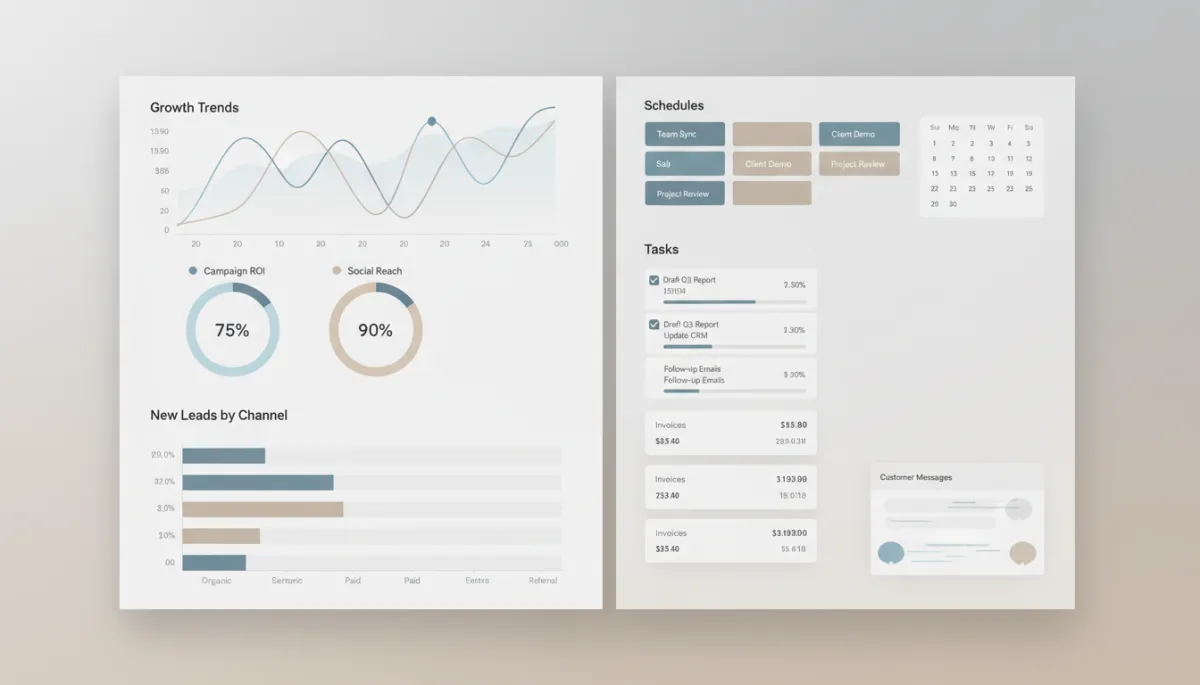
Connecting marketing and operations automation turns new leads into profitable, repeatable work.
The Hidden Cost of Manual Operations
Manual operations rarely show up as a single line item, but they quietly drain profit and energy. When everything is done by hand, your team becomes the “glue” holding disconnected systems together — and that glue is expensive.
Office staff spending hours every week on scheduling and rescheduling instead of higher-value work
Repeated “What’s the status?” calls because customers are not proactively updated
Manual reminders, confirmations, and follow-ups that depend on someone remembering to send them
Delayed invoices and inconsistent collections that slow cash flow and increase bad debt risk
Double data entry between your CRM, calendar, invoicing tools, and field service apps
Lost service details that make callbacks longer and more frustrating for customers and techs
Poor handoff between sales and operations, leading to misaligned expectations and rework
These issues reduce capacity, slow cash collection, hurt customer satisfaction, and increase burnout. AI operations automation focuses on removing this repetitive coordination work so your people can focus on skilled tasks and high-value conversations.
5 Areas Where AI Can Improve Service Business Operations
1. Scheduling and Appointment Management
Manual scheduling often means long back-and-forth messages, missed availability, double bookings, and no-shows. For appointment-based businesses, this is one of the fastest ways AI scheduling automation can deliver value.
AI and workflow automation for small businesses can help with:
Online appointment booking tied directly to your team’s calendar availability
Automatic calendar syncing across multiple techs, rooms, or locations
Confirmation messages with directions, prep instructions, or intake links
Reminder texts and emails at smart intervals to reduce no-shows
One-click reschedule links so customers can adjust without calling the office
No-show recovery workflows that send follow-ups and offer rebooking options
SimplySync AI helps service businesses design scheduling automation that matches how your team actually works — from simple appointment reminders to more advanced dispatch automation for field service operations.
2. Customer Communication and Service Updates
Customers do not like guessing. When they do not know what is happening next, they call, email, or message your team — creating more work and frustration on both sides. AI customer communication automation keeps customers informed without requiring constant manual effort.
“We received your request” confirmations as soon as a form, call, or message comes in
Appointment confirmation and reminder messages with clear expectations and next steps
“We are on the way” updates for field service visits, including live ETA links where available
Post-service follow-ups that check in on results and answer common questions proactively
Review requests timed after a positive experience, not randomly
Re-engagement messages when customers have not booked in a while
SimplySync AI builds communication workflows across SMS, email, website chat, and CRM triggers so customers always know what is happening — and your team spends less time answering the same questions over and over. This directly improves customer satisfaction and makes your business feel more professional and reliable.
3. Internal Task Management and Team Coordination
Many small businesses run on memory, sticky notes, and group texts. That works until volume increases or a key person is out. AI task automation turns your process into a repeatable system instead of a collection of personal habits.
Automatically creating tasks when a new lead comes in, a quote is sent, or a job is completed and needs follow-up
Assigning tasks to the right team member based on role, territory, or workload
Triggering reminders and escalations when tasks are overdue or require manager review
Moving leads or customers through CRM pipeline stages automatically based on activity
Notifying the team when a lead replies, signs a proposal, or pays an invoice
SimplySync AI specializes in CRM automation and workflow design so your team can see exactly what needs to happen next — without manually tracking every detail. This is core to AI workflow automation and makes scaling your operations much more realistic.
4. Service Documentation and Quality Control
In many service businesses, documentation is inconsistent. Some jobs have detailed notes and photos; others have almost nothing recorded. That becomes a problem when customers call back, dispute work, or need follow-up service months later.
Requiring intake forms or checklists before certain appointment types can be scheduled or marked complete
Prompting techs or providers to capture photos and notes at key steps in the job
Generating customer-friendly summaries from internal notes so clients understand what was done and what comes next
Triggering follow-up tasks when certain findings or issues are documented, such as recommended future work or checkups
Good documentation creates consistency, protects your business, and improves customer experience. SimplySync AI helps embed documentation into your automated workflows so it becomes a natural part of how work gets done, not an extra chore people skip when they are busy.
5. Invoicing, Collections, and Revenue Operations
Cash flow problems often come from slow or inconsistent invoicing and collections. AI operations automation can tighten the link between “job done” and “payment received” without turning your team into full-time bill collectors.
Triggering invoice creation as soon as a job is marked complete or a milestone is reached in your CRM or field service tool
Sending digital payment links via SMS and email so customers can pay on their phone or computer immediately
Automating friendly payment reminders at set intervals, with different messages for early, mid, and late-stage follow-up
Notifying your team when invoices are overdue so they can step in before issues escalate
Updating CRM stages and triggering thank-you messages and review requests after payment is received
By automating invoicing and collections workflows, SimplySync AI helps you reduce manual chasing, speed up cash flow, and keep your team focused on delivering great service instead of tracking down payments.
How AI Connects Marketing and Operations
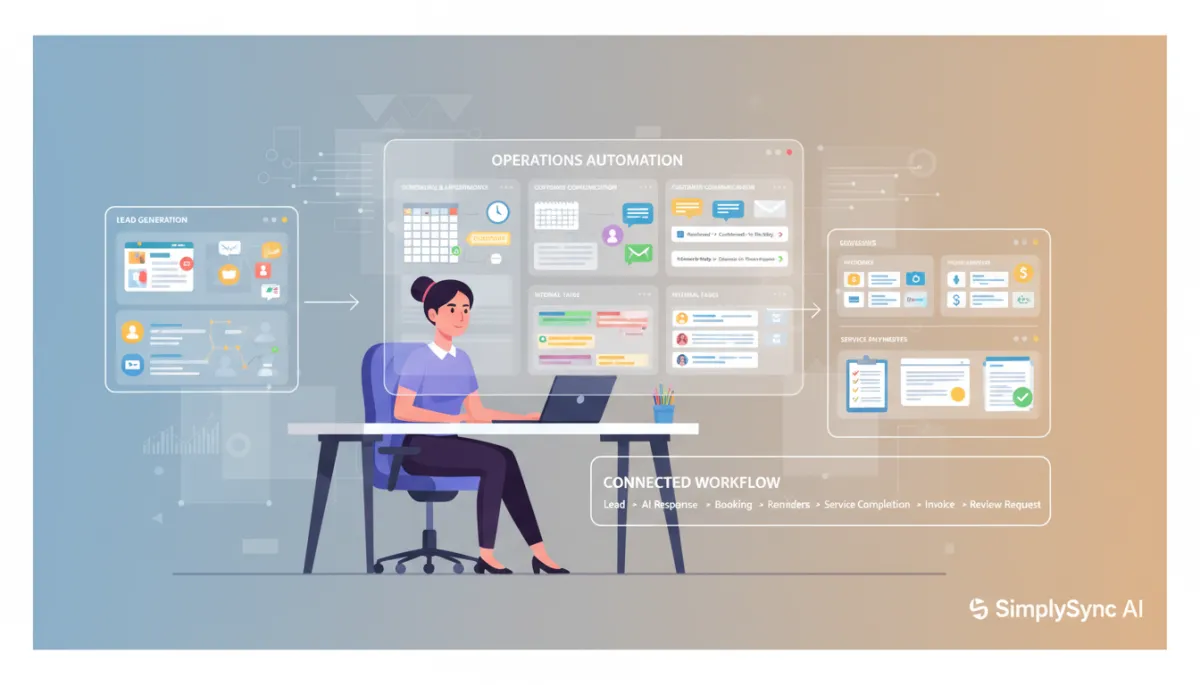
The most effective service business automation does not separate marketing from operations. Instead, it builds one connected customer journey using AI operations automation from first contact to final payment and beyond.
A connected workflow might look like this:
Lead comes in via website form, ad, or missed call
AI responds instantly, acknowledges the request, and asks a few qualifying questions
Qualified leads receive a booking link or are routed to a team member; the CRM updates automatically
Appointment reminders and “on the way” messages keep the customer informed
After the job, service documentation is captured, and an invoice is triggered automatically
Payment reminders and thank-you messages go out, followed by a review request
Satisfied customers are added to a re-engagement or maintenance campaign to drive repeat business
This is where AI automation for service businesses becomes powerful. SimplySync AI helps you design these end-to-end workflows so every step reinforces the one before and after it, instead of living in separate tools and spreadsheets.
Examples of Operational AI Workflows
1. New Lead to Appointment Workflow
Lead submits a website form or Facebook lead ad
AI sends an instant “We received your request” message and asks a few key questions (location, urgency, service type)
Based on answers, the system sends a booking link or routes the lead to the right team member
CRM records are created or updated automatically, including notes from the AI conversation
Appointment reminders and pre-visit instructions start without anyone on your team lifting a finger
2. Missed Call to Follow-Up Workflow
A customer calls and no one can answer because the team is busy or in the field
An automated text goes out within seconds: “Sorry we missed your call — how can we help?”
AI gathers basic details and flags urgent issues (like leaks or no-heat calls) for immediate attention
Routine requests are routed to booking links or a callback list with clear priority tags
3. Quote Follow-Up Workflow
A quote or proposal is sent from your CRM or estimating tool
AI sets follow-up reminders in the CRM and sends a friendly “Any questions?” email after 24 hours
A value-add message goes out on day three with FAQs or testimonials relevant to that service
A short SMS check-in sends on day five, and a task is created if the lead replies with questions or objections
4. Appointment Reminder Workflow
Appointment is booked through your calendar or CRM
Immediate confirmation is sent with date, time, location, and preparation steps if needed
Reminder goes out 24 hours before with a reschedule link if needed
A shorter reminder sends two hours before, and a no-show follow-up triggers if the appointment is not marked as started
5. Post-Service Review and Retention Workflow
Job is marked complete in your field service tool or CRM, which triggers a thank-you message to the customer
After a short delay, a review request goes out with a simple rating question to gauge satisfaction
Happy customers are encouraged to leave a public review on Google or other platforms you prioritize
Unhappy customers are routed to your team for personal follow-up before any public review requests are sent
How to Know Which Operations to Automate First
You do not need to automate everything at once. In fact, you should not. Start with workflows that are:
Repetitive: The same steps happen dozens or hundreds of times each month
Time-consuming: They require a lot of manual coordination or data entry today
Easy to define: The steps are clear enough to write down in a checklist or flowchart
Customer-facing: They directly affect customer experience and response time
Connected to revenue: They influence bookings, close rates, or payment speed
Common first wins for AI operations automation include:
Appointment reminders and confirmation messages
Missed-call text back and basic lead capture workflows
Quote follow-up sequences tied to your CRM or estimating tool
Automatic CRM task creation for key events (new lead, quote sent, job completed)
Review requests after completed jobs or visits
Payment reminders for outstanding invoices
SimplySync AI works with you to identify the highest-impact process to automate first so you see quick results and build confidence before expanding to more complex workflows.
The 30-Day Operations Automation Starting Plan
Week 1: Audit and Observe
Spend a week watching how work actually flows through your business. Where does your team spend the most time on coordination and admin? Where do delays or mistakes happen most often? Capture:
How many calls or messages are related to scheduling or status updates
How long it takes to send invoices after jobs are completed
How often tasks or follow-ups are missed or delayed
Week 2: Choose and Design One Workflow
Pick one workflow that is clearly repetitive, time-consuming, and connected to revenue — for example, appointment reminders or quote follow-up. Define:
The trigger (e.g., appointment booked, quote sent, job completed)
The steps and timing (what should happen at 0, 24, 72 hours, etc.)
The message templates and tone you want to use with customers
Human handoff rules — when should a team member step in?
Week 3: Build and Test
With the workflow defined, connect the necessary tools: CRM, SMS/email platform, calendar, and forms. Build the automation, then test it with internal staff and a small set of customers to confirm:
Messages send at the right time and with the right information
CRM records and tasks update correctly
Week 4: Launch, Monitor, and Improve
Roll out the automation to all relevant customers or jobs. Monitor key metrics such as:
Response time and booking rate for new leads
No-show rate and reschedule volume for appointments
Time from job completion to invoice sent and payment received
SimplySync AI can guide you through this 30-day plan, helping you avoid common pitfalls and make sure your first automation delivers real results.
Common Operations Automation Mistakes to Avoid
Automating a broken process: Simplify and clarify the workflow before you automate it, or you will just move chaos into software.
Trying to automate everything at once: Start small, win early, and expand gradually to avoid overwhelming your team.
Using disconnected tools: If your CRM, calendar, invoicing, and messaging platforms do not talk to each other, you will create more work, not less.
Forgetting human handoff rules: AI should handle routine steps, but your team still needs clear guidelines for when to step in personally.
Not training the team: Even the best automation fails if your staff does not understand how it works or where to look for information.
Not measuring results: Track basic metrics like time saved, no-show reduction, faster collections, and review volume to prove ROI.
Sending too many automated messages: Respect your customers’ attention. Focus on timely, relevant communication, not noise.
What Better Operations Looks Like with AI
When AI operations automation is in place, your day-to-day experience changes in practical ways:
Leads are captured automatically, and no one has to chase missed calls manually
Follow-up happens consistently, whether you are in the office or on a job site
Appointments are confirmed, reminded, and rescheduled automatically, reducing no-shows and gaps in the schedule
CRM stages and tasks stay updated without constant manual data entry or checking multiple systems
Customers know what is happening, receive proactive updates, and feel taken care of throughout the process
Reviews and referrals increase because the experience feels smooth and professional from start to finish
AI operations automation is not about replacing your team. It is about removing the repetitive coordination work that keeps your team from doing their best, most profitable work. SimplySync AI acts as your strategic AI automation partner to design systems that match how your business actually runs — and how you want it to grow.
FAQs About AI Operations Automation for Service Businesses
What is AI operations automation?
AI operations automation uses AI and workflow tools to handle repetitive operational tasks such as scheduling, dispatching, customer communication, task routing, documentation, invoicing, collections, and reporting. It turns your standard operating procedures into automated workflows that run reliably in the background.
How can AI improve small business operations?
AI improves small business operations by reducing manual admin work, speeding up response times, keeping CRM data clean, and ensuring consistent follow-up. For service businesses, this means fewer missed tasks, better scheduling, faster invoicing, and higher customer satisfaction without constantly adding headcount.
Is AI automation only for marketing?
No. While many companies start with AI for lead generation and marketing, the bigger long-term value often comes from operations automation — scheduling, customer communication, internal task management, service documentation, invoicing, collections, and customer satisfaction workflows.
What operations tasks can AI automate?
AI can automate appointment booking and reminders, dispatch notifications, status updates, internal task creation, CRM pipeline changes, service documentation prompts, invoice triggers, payment reminders, review requests, and basic reporting. Any repetitive, rules-based workflow is a good candidate for AI operations automation.
Can AI help with scheduling and appointment reminders?
Yes. Scheduling automation is one of the most common and effective use cases. AI can manage online booking, send confirmations, handle reminder sequences, offer reschedule options, and even adjust routing for field service teams based on location and availability.
Can AI help with customer communication?
Absolutely. AI can send timely, personalized messages at each stage of the customer journey — from “request received” to “on the way” to “thank you and please review us.” It can also answer common questions and route more complex issues to your team, improving customer satisfaction and reducing inbound calls.
Can AI update my CRM automatically?
Yes. With the right integrations, AI can create and update CRM records, move leads through pipeline stages, log interactions, and create tasks based on customer actions. This reduces manual data entry and keeps your CRM accurate for reporting and follow-up.
What is the best operation to automate first?
Start with a workflow that is simple, repetitive, and clearly tied to revenue or customer satisfaction. For many service businesses, appointment reminders, missed-call text back, or quote follow-up are ideal first automations because they are easy to define and deliver quick, visible results.
Will AI replace my staff?
In most small and local service businesses, AI is not replacing people; it is replacing repetitive admin work. Your team still handles complex conversations, on-site work, decision-making, and relationship-building. AI operations automation frees them from routine coordination so they can focus on higher-value tasks and better customer service.
How does SimplySync AI help service businesses automate operations?
SimplySync AI partners with service businesses to design, build, and maintain practical AI automation systems. We connect your lead capture, CRM, scheduling tools, messaging platforms, and invoicing systems into one coordinated workflow. Our focus is on real-world business efficiency automation — reducing admin work, improving workflows, speeding up customer communication, and helping you scale without constant hiring.
Ready to Streamline Your Operations with AI?
AI is not just for getting more leads. It can also help your business operate with less manual work, better communication, cleaner workflows, and more consistent follow-up across scheduling, task management, service documentation, invoicing, and collections. When operations improve, customer satisfaction rises and profitability follows.
SimplySync AI helps service businesses build practical AI automation systems for lead handling, appointment booking, CRM automation, customer communication, review requests, and day-to-day operational task management. If your business is growing but your systems are creating more stress, we can help you design AI operations automation that supports sustainable growth instead of more chaos.
Next step: Schedule an operations automation assessment with SimplySync AI to identify your highest-impact workflow to automate first and map a realistic 90-day roadmap.